Posts

Doodle for Google 2020! Let's Go!

Image
Oh my goodness... The Doodle for Google 2020 contest just opened up! Yippee! I'll be starting my kid's classes again (we meet online) so we can prepare our entries. Last year we had a blast! If you have a kid who loves to draw and wants to meet with Dorian (my son) and me to work on their entry sign up here:  https://forms.gle/QX5e8B89dACqDzu96 . I'll be sending out info on how to join us soon because we gotta get movin'! 😁 Here's a snippet of info from Google about the contest: "As submissions open, we’re inviting young artists in grades K-12 to open up their creative hearts and show us how they find ways to be kind. Starting a community garden? Standing up for a friend being bullied? Doing chores around the home? How you interpret the theme is up to you! This year’s national winner will have their artwork featured on the Google homepage for a day and receive a $30,000 college scholarship. The winner’s school will also receive a $50,000 technology package....

12 Favorite Tech Resources for Kids - Holiday Edition

Image
PARENTS: It's hard to believe it already, but next week is Christmas!  YIKES! What are you plans for holiday break?  What will your kids do once all the gifts and toys are opened? Chances are they'll be spending a lot of time on their electronics, right?  Yep. But that's not entirely a bad thing. In the spirit of "The 12 Days of Christmas" I've pulled together a list of 12 Tech Resources that you can explore to help make good use of what could otherwise be "wasted tablet time." Click here to download a copy To see more recommended tech resources for kids go to:  https://www.gtechcnet.org/forparentsandkids So, what'll it be?  Fortnite or Apple Camp?  Roblox or Minecraft for Education?  And just in case you've decided everyone's had enough, the parental control apps are a parent's best friend! And here's your bonus: you can use these apps/tools all year long! You're welcome.   Now let's all do the ...

Congratulations to Our 2019 Doodle4Google Contestants

Image
I made the clarion call  and these brave kids answered! We're so proud of these superstar students who rose the occasion and entered the 2019 Doodle for Google contest. The students had to create and submit their entries to Google by March 19, 2019. The entries will be reviewed to select state winners who will then move on to the national round.  The final winner will receive a $30,000 college scholarship, a $50,000 tech package for their school or non-profit organization, and their artwork will be displayed for a day on Google.com! Wow! How did we do it as these kids are in three different states (Illinois, North Carolina and Tennessee)? I asked their parents if they would let them join me on a Google Hangout on Tuesday nights for about 30 minutes.  We met online for a few weeks, going through the process of creating and then submitting the entries online with the help of their parents.  The students really enjoyed connecting online each week and get...

A Note to Parents about the MoMo Challenge

Image
So there's a lot of concern about the MoMo Challenge (this online monster meme & videos that tries to encourage kids to commit suicide) and some even think it's a hoax. My two cents on the subject - don't take these things for granted. Whether it's a hoax or not, we need to pay attention. And as parents, we're just going to have the bite the bullet and learn enough about technology so that we can stay involved with what our kids are being exposed to online and then have real- time, continual conversations with them about it. None of these apps, program, blocking software or restriction settings are fool-proof in keeping our kids safe. As challenging as it is, we have to stay a step ahead of this technology game when it comes to our kids. We have to do the work for the sake of our kids. And if you need help, don't be ashamed to ask someone. Here's one resource that may help:  https://www.commonsensemedia.org/blog/parents-ultimate-guide-to-parental-...

9 Things You Can Teach Kids to Help Improve Their Online Safety

Image
As the Internet becomes more common in homes across America, children are using the Internet earlier and earlier. As stated in an article by Webroot , kids use the Internet for everything from entertainment and games to communication and homework. As they get older, they will undoubtedly begin to experiment with downloading music or videos and exploring socials networking sites. The more they explore online, the more they are at risk from predators and the more they put your PC and privacy at risk. The better educated you are about online risks, the more you will be able to keep your children safe. Webroot has conducted research about the gap between parents' perceptions and kids' online reality. We also have a handy guide for you to help you keep your children safe online. Before you allow your children to go online without your supervision, make sure you establish a set of rules that you can all agree on. If you're not sure where to start, here are some ideas on...

Do You Know a Child with Internet Addiction Disorder?

Image
Did you know that nearly 23% of youth report that they feel "addicted to video games" (31% of males, 13% of females.)? These are the results of a study of 1,178 U.S. children and teens (ages 8 to 18) conducted by Harris Interactive (2007).  Is your child addicted to the internet? Here are a few warning signs to look out for: Loses track of time while online Sacrifices needed hours of sleep to spend time online Becomes agitated or angry when online time is interrupted Checks email or online messages several times a day Becomes irritable if not allowed access to the internet Spends time online in place of homework or chores Prefers to spend time online rather than with friends or family Disobeys time limits that have been set for internet usage Lies about amount of time spent online or "sneaks" online when no one is around Forms new relationships with people he or she has met online Seems preoccupied with getting back online when away from the c...

New G Suite Certification is Now Available for Students!

Image
Google has recently announced the launch of their new G Suite certification. This is the first certification from Google where students can demonstrate mastery of G Suite applications such as Docs, Sheets, and Slides.  Students who pass the 2-hour proctored exam will receive a digital badge they can add to their resume or Linkedin profile.  A great way for students to demonstrate their readiness for the workplace.  The exam covers several G Suite apps and signals to employers their readiness to work in a collaborative 21st century workplace.  The exam format abides by FERPA, COPPA and GDPR standards, and is now accessible to students as well as adult professionals. Google will open up the certification for students this summer 2019. You can sign up for a direct alert when it becomes available by filling out this form  or go to Google's website for more information. A good place to start for teachers. If you are an adult (i.e. teacher, administrator, etc...

K12 Kids Can Enter the 2019 Doodle for Google Contest!

Image
2018 Doodle for Google Winner, "Dino Doodle" by Sarah Lane-Gomez, a 2nd Grader from Falls Church, VA Some people think I'm a Google fanatic. It's not that, so much. It's that I am an opportunity fanatic and I try to position myself to be exposed to the best of today's opportunities for our kids in technology. For example, who of your reading this post knew about the Doodle for Google contest? Well, the 2018 winner was just announced today. She is a 2nd grader named Sarah Gomez-Lane. She drew a picture of delightful dinosaurs to highlight her dream of becoming a paleontolog ist. As the winner of the contest, Sarah got to collaborate with the Doodle team to transform her artwork into an animated, interactive experience which you can see (today only) on the top of the Google search page at google.com. She also received $30,000 toward a college scholarship, and her elementary school in Falls Church, VA will receive $50,000 to spend on technology to help s...

Scratch 3.0 is Here!

Image
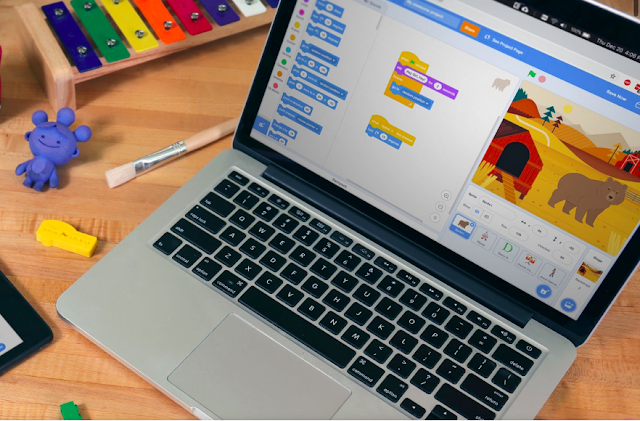
I just heard the news. After 3 years in the making, the new Scratch 3.0 is finally here! It's one of our favorite programs to get kids introduced to coding (created by MIT). Can't wait to dig in with my 9-year-old!!! Woohooo! See more information here

Learn about a new "superpower" that isn't being taught in 90% of US schools

Image
I'm on a mission to change that.  Join us!

Google Sites: Have You Made The Switch?

Image
As you may have heard, Google Classic Sites are being updated to the new Google Sites platform.  To help with the transition, Google has created an automatic migration tool to transfer Google Sites from classic Sites to new Sites The tool will start rolling out to end users on June 19, 2018. The tool makes it quicker and easier to move sites created in classic Sites to new Sites. The tool automatically creates a draft of a classic site in new Sites. This new draft site will have the updated look and feel of new Sites, and contain the content from the classic site. When the new site is ready to go live, it can either be published to the URL of the classic site (to replace the original site and automatically redirect viewers), or published to a new URL. If you are an admin, you can get the full details on the tool and how it works, by viewing  Google's announcement for the admin preview of the tool .  If you own a classic site you can also use Google's ...

Are You Preparing Your Students with the Right Future Job Skills?

Image
One of the major concerns of educators today is that they are preparing their students for a solid financial future when it comes to job preparation.  In our current digital age, technology is moving faster than our ability to keep up when it comes to the education sector. That's why I love the Google for Education platform.  It's Google's effort to equip today's teachers and students with the relevant technology to succeed in today's world.   For example, their Applied Digital Skills program is a set of  free computer literacy courses designed to prepare learners for a growing number of jobs that require basic digital skills.  These are the skills companies are looking for in today's employees.  Use this free resource to add to your digital course curriculum.  All these classes are created by Google and are aligned with ISTE standards.     Visit the Applied Digital Skills Website:  https://applieddigitalski...

Tips for Getting Into High-Demand Computer Careers

Image
I just read a very informational article The St. Cloud Times about the increasing demand for science, technology, engineering and mathematics-related careers, which create some of the highest paying jobs right now. Here are some insightful views from the interview with Tirthankar Ghosh, a professor of computer science and information technology at St. Cloud State University. My key take-aways were: 1) He advises that If high school students are thinking of pursuing a profession in computing in general, taking some AP (advanced placement) classes help. AP computer science is a must, he says. If students come to a two-year or four-year college with some programming courses they already took, that really prepares them for the profession. AP statistics and AP calculus and those types of courses also help. 2) When they surveyed area employers, the three or four skills that came to the top were critical analytical thinking, problem solving, communications and technical competency . Emp...

Free Tuition Program for Chicago City Colleges

Image
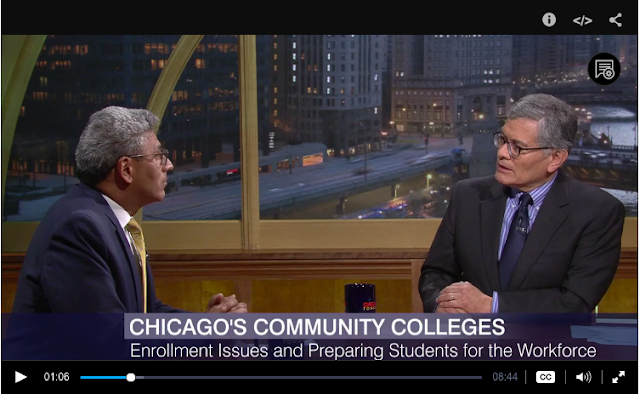
Have you heard of the Chicago STAR Scholarship program?  It's for CPS students  who graduate from with a 3.0 GPA (and a few other requirements) to help them be able to pursue an associate degree at City Colleges of Chicago at no cost - free tuition and books.  After obtaining the associate degree, students may work with a transfer partner to provide a smooth transition to a four-year college. Check out the following resources for more information: City Colleges of Chicago Chancellor Juan Salgado talks about free tuition program:Chicago STAR Transfer Partnership Program Chicago STAR Scholarship program Chicago STAR Transfer Partnership Program

Ok, What Just Happened to My YouTube?

Image
Sooooo.... I see that Google has been tinkering around with YouTube.  Did you notice? Everything looks different.  I feel a little disoriented.  I'm not how I feel about the changes just yet.   Apparently they've decided after 12 years to finally update YouTube's look and functionality.  They've redesigned the desktop AND mobile versions.   According to Heavy.com , "The desktop version also gets the added feature of a dark theme. The mobile version made the header white and moved the navigation tabs to the bottom so they’re closer to the thumbs as well as adding Library and Account tabs. The ability to speed up or slow down a video’s playback was also added to mobile as well as the ability to view a row of suggested videos while watching in full screen. Probably the most drastic change is the new logo, which takes the play button icon from the “tube” part of YouTube and places it in the front of the word." And Google says they're not done...

Wow, Did You See That? (The 2017 Solar Eclipse)

Image
This was an exciting historic event!  Unfortunately I was not able to see it from my area due to the overcast skies and cloud cover. Total bummer!  And I was sad for the kids at school too - they had plans (and the glasses) to watch the eclipse but weren't able to see it.   The next best thing to being there was by watching it live on TV and YouTube. Why was this event so special?  Here's what NASA's live broadcast site said about the event: "For the first time in U.S. history, a total solar eclipse that crosses the country from coast to coast will be visible only in America. The rare celestial spectacle in August has been dubbed “The Great American Eclipse.” The moon will completely block the sun , momentarily engulfing parts of about a dozen states in sudden darkness, on Aug. 21, 2017, experts say. No one outside the continental U.S. will be able to see the eclipse ," This show will cover the path of totality the eclipse will take across the Unit...

First Day of Classroom

Image
In last week's blog post I mentioned some new updates in Google Classroom to help you stay organized and save time this new school year. This week, I wanted to share some tips and tools available for teachers using Classroom for the first time. Google has just launched a new site with a ton of content that will help teachers have the knowledge and confidence they need to get started. Since we know teachers love to learn from their peers, some of the best tips and videos from teachers have been made available through a new initiative called #FirstDayofClassroom . Some of the content includes: Getting Started Videos - Teachers share topics to get an overview of Classroom and provided some quick and easy videos to get them going. Tutorial Videos - Includes instructional videos from peer teachers on how to use Classroom. Library of Resources - A collection of printable guides that teachers can keep on hand at all times and refer too if needed. We also have an awesome printabl...

Back to School Already?

Image
Oh my goodness!  Can you believe we're in August??? The summer is virtually over.  Time to buy school supplies for my 3rd grader (geez, this is going much too fast!) and to think about Fall activities.  And did I see someone counting down to Christmas on Facebook already???  Geez! Well, to make the transition back to the classroom easier, make sure you are up-to-date with all the of the recent changes to make teaching easy.  There are 10 new updates to Google Classroom and Google Forms to help you stay organized and save time.   Some of the new features include: 1) Reorder classes from the homepage 2) View all of your student's work on a single page 3) Use decimal grades for partial points 4) Display the class code in full-screen 5) Transfer ownership to other teachers 6) Launch/switch apps from the classroom page ...and more See all the changes and details on Google's Blog:  https://www.blog.google/topics/education/10-way...

Who wants to be a millionaire???

Image
So you do???  So do I!  But I can't help you with that. But... I can help you become a Google Certified Educator or Trainer!  To me that was like hitting the jackpot.  I can't begin to tell you the skills I've learned and the people I've been able to help.  Plus, Google has listed me on their directory as one of their Google For Education Certified Trainers . What an honor! So if you're interested in more information, let's chat.  Fill out this short form and I'll get back with you asap.  I also have a coupon code for the exam but it expires September 3, 2017 so hurry! Happy Teching!

Google Forms Gets an Update

Image
Google Forms makes it easy to collect information, plan events, solicit feedback, and more. Google has added new features such as: Intelligent response validation Cross-domain file uploads Preferences/Default Settings Checkbox Grid Questions Section Reordering and using machine learning to make Forms work better for you.  Read on for more details. Need help with Google Forms?  Got questions?  Contact me today. I'll be glad to help!   Angela Valentine Google Certified Trainer bit.ly/contactangi